
Trova Song Key Finder
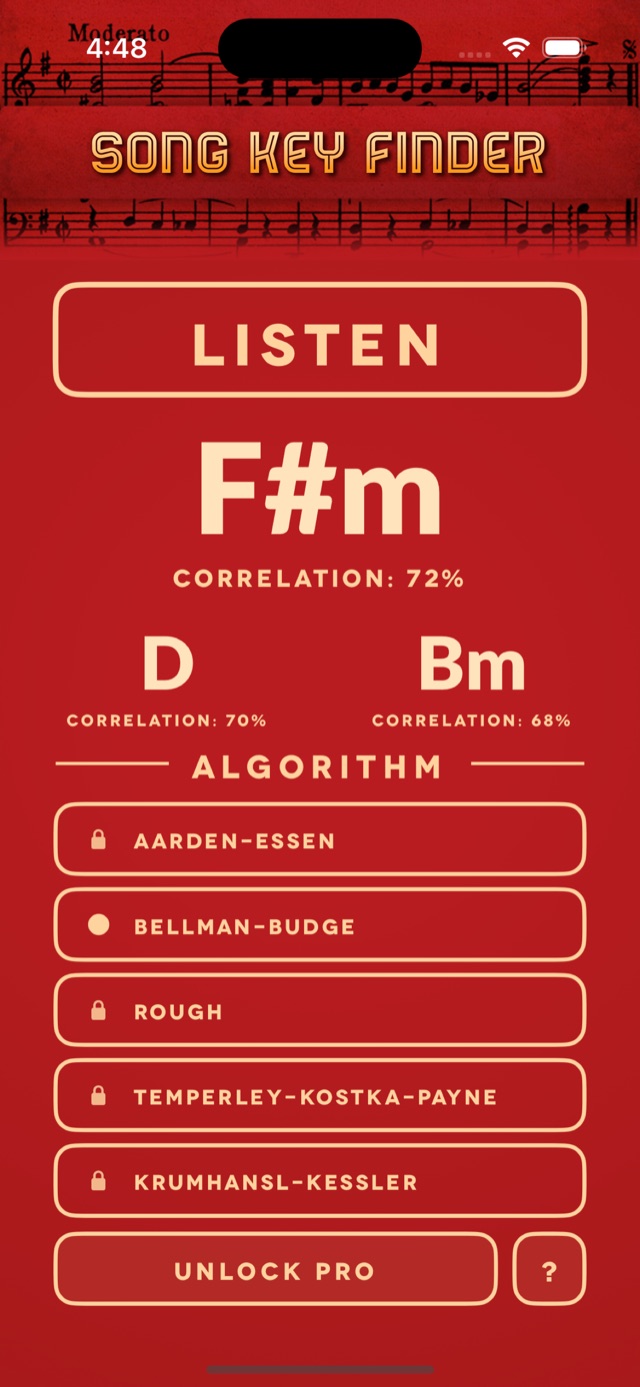
Find the key of any song or melody. Play, sing, or whistle a tune into your phone, and Trova shows the most likely key, two runners-up, and how strongly each one matches.


Hear it, name the key
Press Listen, play some music, and read the key. The rest is there for songs that don’t give a straight answer.
Listen through the microphone
Press Listen and play a recording near your phone, or sing or play the tune yourself. Trova works with single notes, melodies, and scales as well as full songs.
Three answers, each with a score
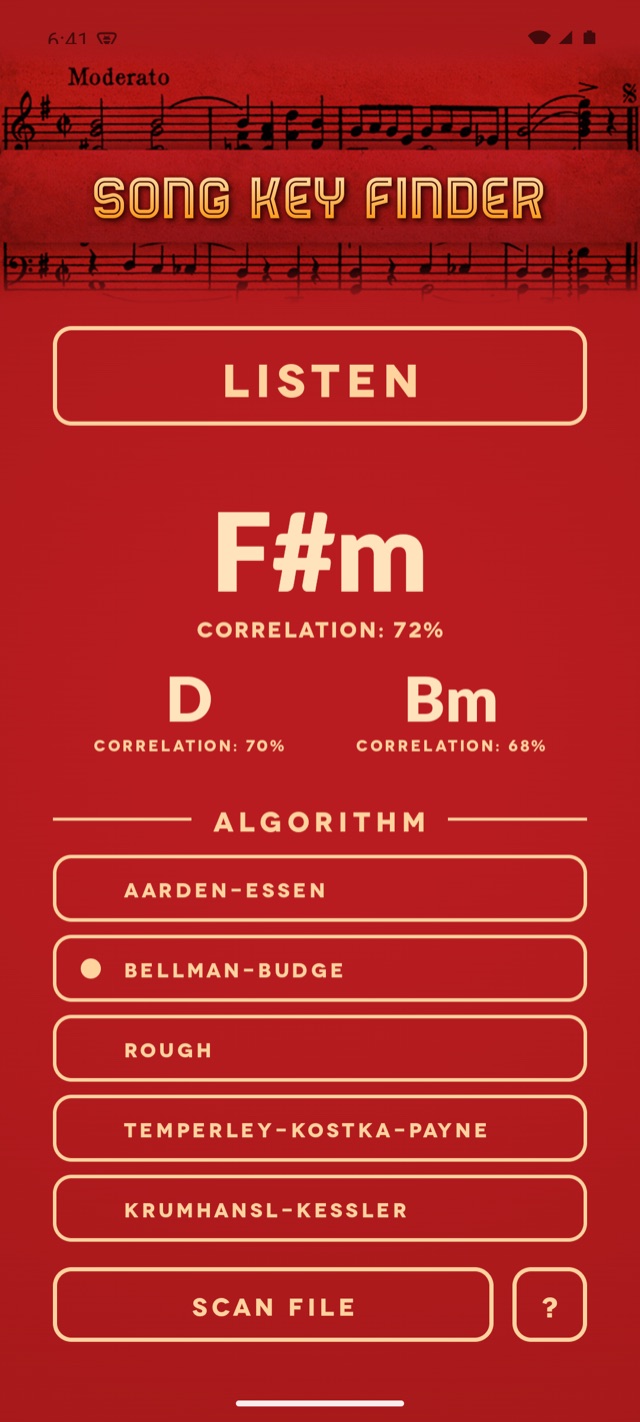
You get the most likely key and two runners-up, each with a correlation percentage, so you can see when it’s a close call.
Five detection algorithms
Switch between five key-finding profiles for a second opinion. One is included, and Pro unlocks the other four.
Music playing on your phone
With Pro, Trova keeps listening while a streaming app plays out loud on the same device, and finds the key of whatever is playing.
Scan audio files
With Pro, pick an audio file from your device or cloud storage and get its key without playing it out loud.
Camelot notation for DJs
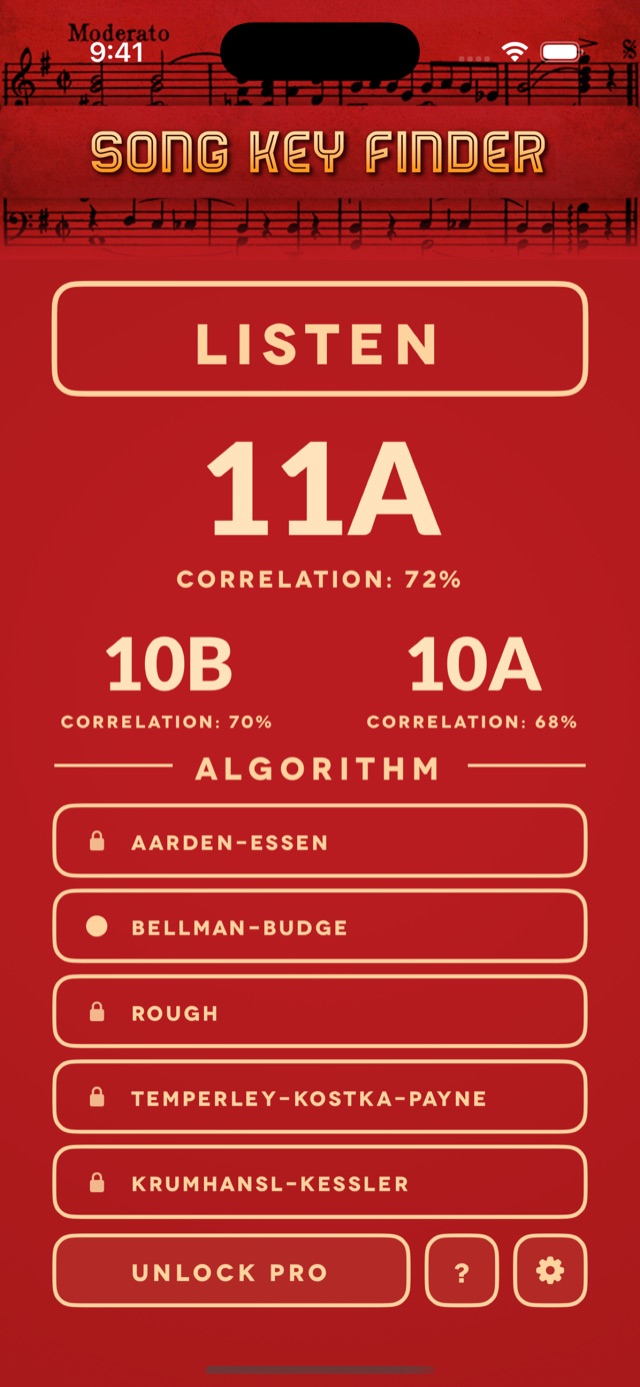
On iPhone and iPad, show keys as Camelot codes such as 8A or 11B for harmonic mixing.
How to find the key of a song
- Open Trova Song Key Finder and press Listen.
- Play the song near your phone’s microphone, or sing or play the melody yourself.
- Read the key at the top of the screen. The two runners-up are shown below it.
- If the answer looks off, let it listen longer or try a different algorithm.
- Press Stop when you’re done.
On iPhone and iPad you can skip the first step: say “Find Key” to Siri and Trova starts listening. On supported iPhones you can also put it on the Action Button.
What the key tells you
- Singers can check what key a song is in before moving it into a comfortable range, or sing a few lines to see what key they’re singing in.
- Guitar and piano players learning a song by ear know which notes and chords are most likely to fit.
- DJs can label tracks by key and line up mixes that sound good together.
- Songwriters and producers can check the key of a melody idea, a sample, or a beat.
What to expect, honestly
Key detection is an estimate. Trova measures which notes it hears most and compares them with all 24 major and minor keys, so the quality of what it hears matters.
- Louder and cleaner is better. Keep background noise down and the music up.
- Give it time. The reading updates as Trova listens, and it settles once it has heard more of the song.
- Close calls are normal. A key and its relative major or minor use exactly the same notes, and keys a fifth apart share all but one. That is why Trova shows three answers instead of one.
- Key changes blur the result. If a song changes key partway through, start a new listen for each section.
- Tuning matters. Pro adds better support for music that is slightly out of tune. If you’re playing live, tune up first.
- It finds the key, and only the key. Trova does not measure tempo, name individual chords, or identify what song is playing.
A look inside
Guides for musicians
What key am I singing in?
Three ways to find out, with or without an instrument, and what to do when the key doesn’t suit your voice.
Camelot wheel chart: all 24 keys
The full wheel, a key-to-code lookup table, and the three moves that keep a mix in key.
Chords in every key: a chart for all 24 keys
The seven chords in each major and minor key in one chart, plus the pattern that builds them.
Questions and answers
How do I find the key of a song with my phone?
Open Trova Song Key Finder, press Listen, and play the song near your phone’s microphone, or sing or play the melody yourself. The most likely key appears at the top of the screen, with two runner-up keys and a match score for each.
Can it tell me what key I’m singing in?
Yes. Sing a few lines of the melody and Trova shows the key that best fits the notes you sang. One clear melody line in a quiet room gives the best reading.
Why does it show three keys instead of one?
Because some keys are hard to tell apart. A key and its relative major or minor use exactly the same notes, and keys a fifth apart share all but one. Trova shows the best match and two runners-up with a correlation score for each, so you can see how close the call was.
What are the five algorithms?
Each one is a key profile: a table of how strongly each note belongs to a key. Trova compares what it hears against all 24 major and minor keys using the profile you choose. Four come from published music research (Aarden-Essen, Bellman-Budge, Temperley-Kostka-Payne, and Krumhansl-Kessler), and the fifth is a simpler one called Rough. Bellman-Budge is the default, and the other four are part of Pro.
What is Camelot notation?
It is a way of writing keys that DJs use for harmonic mixing, popularized by Mixed In Key. Each key gets a number from 1 to 12 and a letter, A for minor and B for major, so A minor is 8A and C major is 8B. Keys with neighboring numbers tend to mix well. On iPhone and iPad, Trova can show its results in Camelot codes.
Does it find the tempo or the chords?
No. Trova reports the musical key. It does not measure tempo (BPM), name individual chords, or identify what song is playing.
Is it free, and what does Pro add?
Trova Song Key Finder is a paid app, and its price is shown on the App Store and Google Play. Pro is a separate one-time purchase inside the app. It adds the other four detection algorithms, key detection for music streaming on your device, audio file scanning, and better support for out-of-tune audio. There are no subscriptions and no ads.
Which audio files can it scan?
With Pro, Trova can scan common audio formats such as MP3, M4A, and WAV, from your device or cloud storage.
Which devices does it run on?
iPhone and iPad running iOS 16 or later, from the App Store, and Android phones and tablets, from Google Play. Camelot notation and the Find Key shortcut are currently on iPhone and iPad only.
Which languages does it support?
The app is available in 45 languages.
Where can I get help?
Email or call us from the support page. Our privacy policy covers how our apps handle data.
Know the key before you play
For iPhone, iPad, and Android.