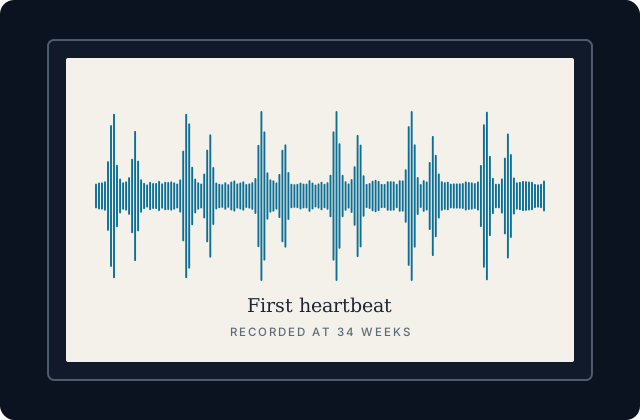
Any recording can be drawn as a picture. The picture is called a waveform: a line that jumps up and down with the sound, taller where it is louder. Sound wave art is that picture, printed, engraved, or inked.
A recording of your baby’s heartbeat makes a good one, because the beats repeat in a rhythm you can see. Here is how to get from a recording on your phone to something you can hang on a wall or wear.
What you need
One audio or video recording with a few clear seconds in it. Five to ten seconds is plenty. It can come from two places:
- An appointment. When the heartbeat is played aloud at a checkup, ask whether you may record a few seconds on your phone.
- A recording you made yourself. Late in pregnancy, some parents record a heartbeat keepsake at home with a phone app.
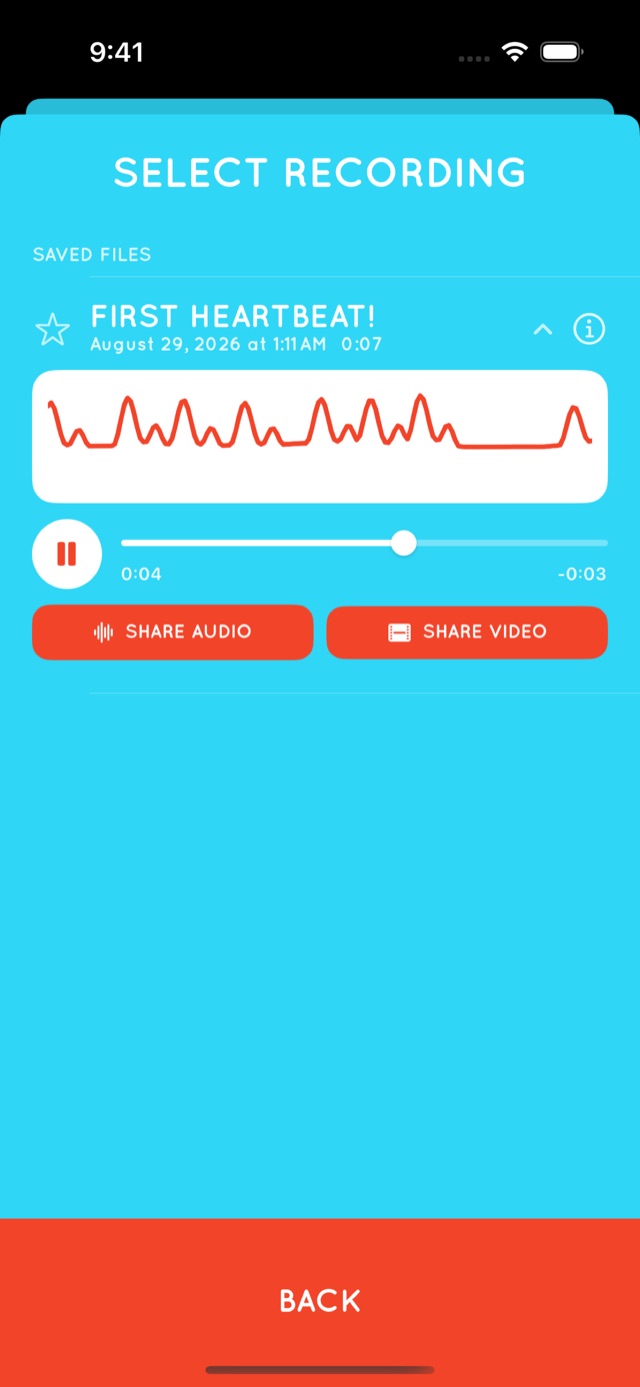
Our app, Flutter Baby Heartbeat Monitor, draws the waveform while it records and keeps it with every saved recording, so the picture is already there. It can also share a recording as audio, or as a video of its waveform.


Step 1: get the waveform as an image
There are three easy routes.
- Take a screenshot. If the app you recorded with shows a waveform, a screenshot is the quickest way to capture it.
- Open the audio in an editor. Any audio editor that draws waveforms will do, including free ones such as Audacity. Zoom in until the few seconds you want fill the window, then export the picture or take a screenshot.
- Use an online generator. Search for a sound wave generator and upload the file. Read what the site does with uploads before you send it a recording you care about.
Step 2: clean it up
- Crop to the clearest stretch. Four to eight beats reads better than a long, crowded line.
- Make it one color on a plain background. High contrast prints and engraves well.
- Save it large. For printing, export the biggest image the tool offers. For engraving, makers often prefer a vector file such as SVG.
- Add a line of text if you like: a name, a date, the week of pregnancy.
Step 3: choose what to make
A print or canvas
The simplest option. Any print shop can print an image file, and a plain frame is all it needs. It suits a nursery wall, and it makes a good gift for grandparents.
Jewelry and engraving
Pendants, bracelets, rings, and key rings can all be engraved with a waveform. Small pieces can’t hold fine detail, so give the engraver a short, simple section and ask how thin a line they can cut.
A tattoo
Bring the printed waveform to your artist and ask how much detail the size and placement can hold. Thin, crowded peaks tend to blur together over the years, so most artists will simplify the line. Keep the original image, because the tattoo will be an interpretation of it.
Add a way to play it
A printed code can link the picture back to the sound.
- Upload the recording somewhere you control, such as your own cloud storage, and create a private sharing link.
- Turn the link into a QR code with any free QR code generator.
- Print the code small in a corner, or stick it to the back of the frame.
- Scan it with a phone to check that it plays.
Links break when files are moved or accounts are closed. Keep the original recording backed up, and write down where it lives in your baby memory box.
What a waveform does not show
A waveform is a picture of sound: when it was loud and when it was quiet. It is not a medical trace, and it can’t tell you anything about your baby’s health. If you ever have a worry about your baby, call your midwife or doctor.
Questions and answers
What is sound wave art?
A picture of a recording’s waveform, printed or engraved as a keepsake. You will also see it written soundwave art, or called waveform art or voice print art.
How do I turn my baby’s heartbeat into sound wave art?
Start with a recording that has a few clear seconds. Capture its waveform with a screenshot, an audio editor, or an online generator. Crop it, make it one color, and send the image to a printer or an engraver.
What kind of recording do I need?
Any audio or video file. A short phone recording made at an appointment works, and so does a recording you made yourself late in pregnancy.
Can I get a tattoo of my baby’s heartbeat from a real recording?
Yes. Bring the waveform image to a tattoo artist and ask them to adapt it to the size and placement. Expect them to simplify fine detail so it holds up over time.
How do I make the art play the sound?
Upload the recording to storage you control, create a private link, and print a QR code that points to it. Keep a backup of the file, because links can break.
Keep reading
- Heartbeat bears: how they work and how to make one
- What to put in a baby memory box or time capsule
- Sentimental gifts for grandparents-to-be
Start with a recording
Flutter Baby Heartbeat Monitor is free to download for iPhone, iPad, and Android. For bonding and creating memories and keepsakes — not a medical device. Learn more about Flutter.
This article is about keeping memories and isn’t medical advice. For anything about your health or your baby’s, talk to your midwife or doctor. Soundwave Art and Audacity are names used by their respective owners. Polycene is not affiliated with them.